
Open the picker
Press L while looking at a block, or select the Lithotheca plaque above the Creative inventory. You can change the shortcut in Minecraft’s Controls.
Creative block library · Planned for December 2026

Look at a block, find the shapes and finishes that go with it, and put your choices straight on your hotbar.
Minecraft Java 1.20.1 · Fabric · Creative
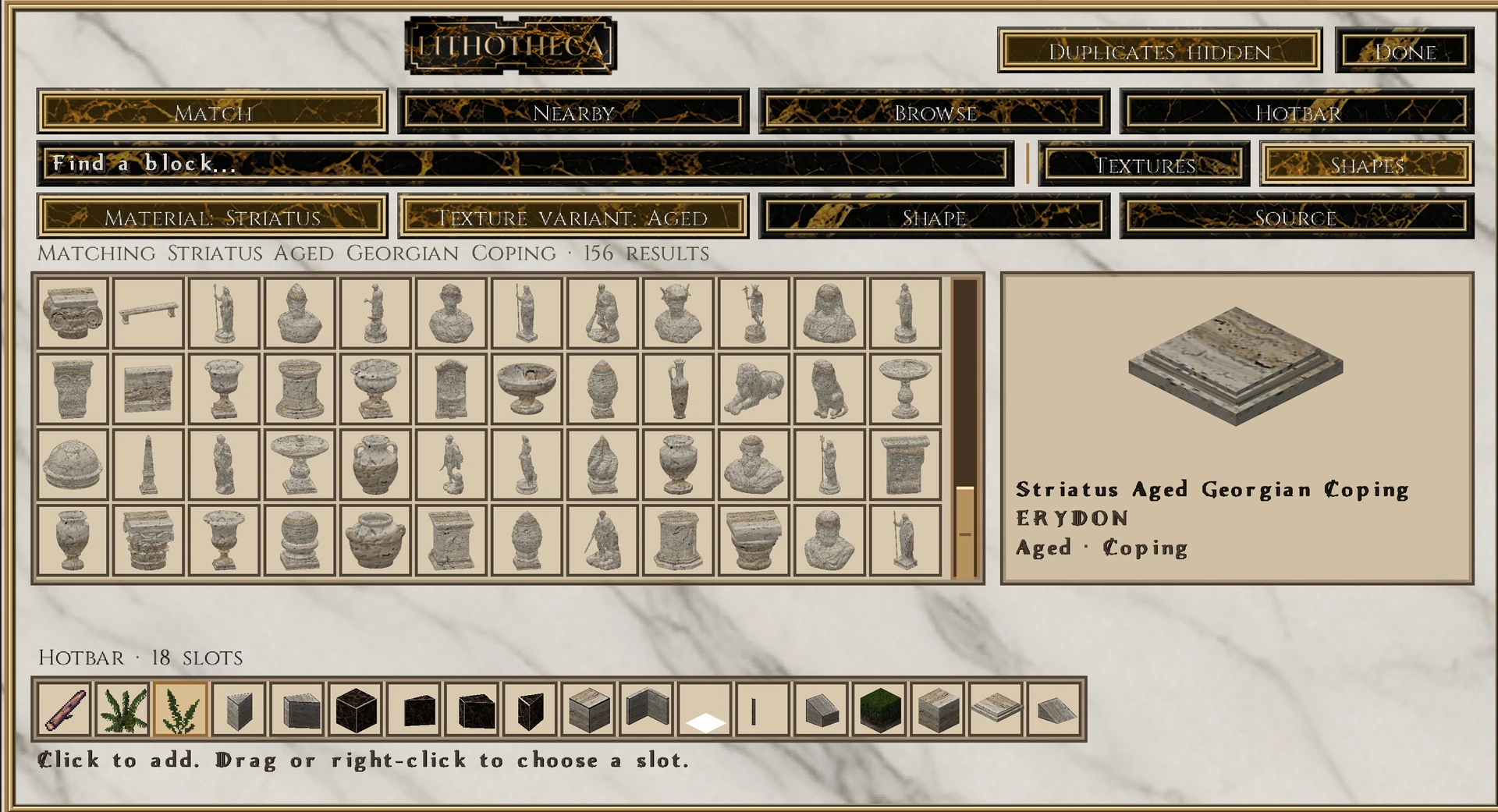
Press L while looking at a block, or select the Lithotheca plaque above the Creative inventory. You can change the shortcut in Minecraft’s Controls.
Shapes finds different forms in the same material and finish. Textures keeps the shape and material so you can compare available finishes. Search narrows the current results, and each filter can be cleared on its own.
Click a result to pick it up, then click a hotbar slot to place it or swap stacks. Scroll through your full palette as you build. You can add up to 18 slots to the usual nine.
ERYDON, Themelios and Daedalon have their own catalogue groups. Other installed blocks can appear too.